Create it where you pack it
A new delivery can be raised straight from the shop floor, as the parcel is being wrapped.

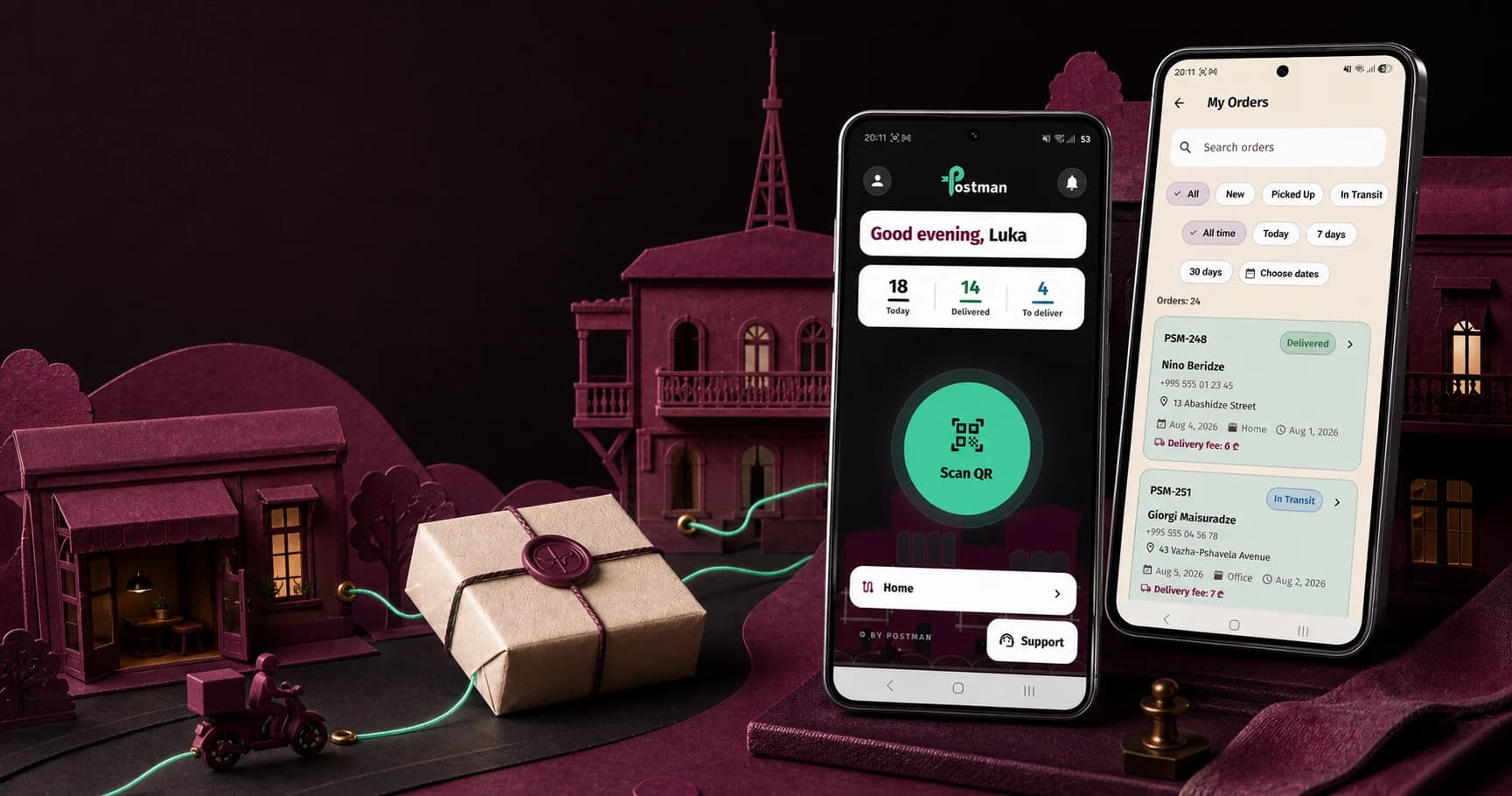
Mobile app / iOS and Android
The free Postman app lets a partner store create a delivery, follow its parcels, and receive notifications without going back to a computer.
What the app does
The app and the web workspace read the same data, so an order created on a phone is immediately there on the desktop.
A new delivery can be raised straight from the shop floor, as the parcel is being wrapped.
The phone camera reads a parcel code and opens the order it belongs to.
One screen shows which parcels are collected, in transit, or already delivered.
Postponements, problem deliveries, and status changes arrive as push notifications.
Product value and delivery fee appear separately, each with its payment state.
Volume, completion rates, and money flow are available from the phone as well.
FAQ
Exact conditions are confirmed for each business during application review.
The app is available on the App Store for iPhone and on Google Play for Android devices. It is free to download and free to use, with no in-app purchases. Signing in uses the same credentials as the partner web workspace, so there is no separate registration step. A store that is not yet a partner needs to send a partnership request first, since the app is the workspace rather than a public shipping tool.
The app is built for partner stores that create orders and follow the delivery process. Someone receiving a parcel does not need to install anything: they are sent their own tracking link, which opens in a browser and shows the current state of that parcel. The link is private and tied to one specific order, which is why it is sent directly to the recipient rather than published.
They work on the same data and complement each other. The app is the better tool when an order needs to be created or a status checked on the spot, in the shop or on the move, and it alone offers push notifications and QR scanning with the camera. The web workspace is more comfortable for bulk work: processing long order lists, importing, and reading detailed analytics or exports.